
The Future of On Device Vision Is Personal
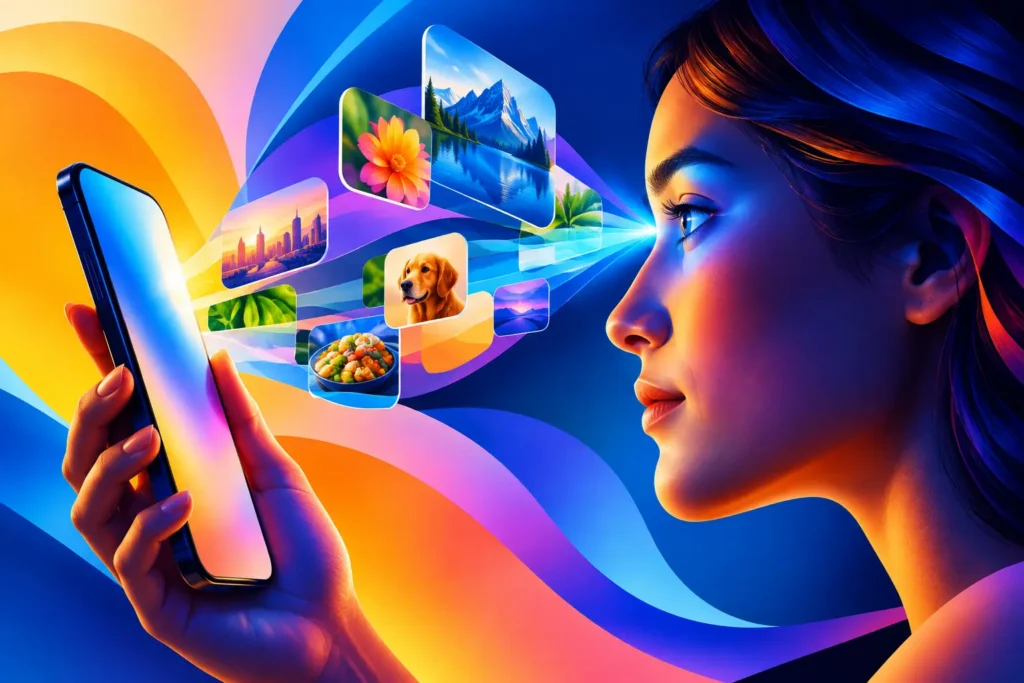
A camera roll can hold the exact photo you need and still make it feel lost. You remember the warm terracotta wall, the quiet blue sky, or the shot with enough empty space for type, but not the date or the place. The future of on device vision is not only about a phone recognizing what appears in an image. It is about making personal visual archives usable without asking people to hand those archives to someone else.
For creators, that shift is practical. A better photo search does not merely identify “beach” or “dog.” It helps answer the decisions that happen before publishing: Which images can sit next to this post? Which clips and stills carry enough green to support this week’s palette? Which photos from last fall have calm backgrounds rather than a crowded pool of faces, signs, and details?
That is where on-device vision becomes more interesting than a novelty feature. It turns visual analysis into a private, everyday creative tool.
Why the future of on device vision belongs on the phone
Cloud-based image intelligence has an obvious appeal: a company can process huge amounts of data on remote servers, update models centrally, and connect images to a broader service. But a personal photo library is not ordinary input. It may contain family photos, client work, receipts, screenshots, locations, medical information, and years of moments that were never intended to leave a device.
On-device vision changes the boundary. The analysis happens locally, where the library already lives. There is no requirement to upload every image for inspection, create an account, or accept that a remote system needs a copy of your visual history to make search useful. Nothing leaves your phone.
Privacy is not the only advantage. Local indexing can make visual search feel immediate because the device has already prepared the library for the questions you ask. Rather than waiting for a photo to travel to a server and return with an answer, the app can work from an index stored on the device. That matters when you are planning a post between appointments, building a carousel at the gate, or trying to clear a content queue before the light disappears.
There are trade-offs. A phone or tablet has finite processing power, battery life, and storage. Large libraries may take time to index, especially after a new install or a major library change. Models running on a device may also be narrower than the largest cloud systems. But for photo-library search, narrower can be useful when it is specific: color share, visual density, recognized subjects, favorites, and dates are concrete signals that can support real selection decisions.
Recognition is only the beginning
Most people first encounter computer vision as recognition. A device identifies a cat, a bicycle, a plate of food, or a person. That is helpful, but it only describes one layer of an image.
Creators often select images by properties that subject labels miss. Consider two photos of coffee. One is mostly cream-colored table, soft window light, and negative space. The other is a close-up of a dark cup against a busy counter full of menus, hands, and packaging. Both may be recognized as coffee. Only one may fit a pale, quiet feed.
The next useful stage of on-device vision is measurement. How much orange is actually in the frame? Is blue the dominant color, or merely a small patch behind a person? Is the image visually calm enough to give a caption room to breathe? Is a second prominent color likely to clash with the rest of a planned grid?
These are less flashy questions than “What is this?” They are often more valuable.
A color filter that treats every appearance of orange equally cannot distinguish orange at 20% from orange at 60%. Yet that difference changes the image’s visual role. In one photo, orange is an accent. In the other, it sets the mood. The same is true of visual busyness. An empty sky and a crowded pool can share a blue color category, while functioning completely differently as backgrounds for a Story, product announcement, or quote graphic.
This is why Filters focuses on measurable visual properties rather than asking users to search their memories with broad keywords. A local index can combine up to three conditions, such as a dominant color, a lower-busyness level, and a date range. The result is not an abstract AI demonstration. It is a smaller set of images that may actually belong together.
Better search will become more visual
The future interface for image search is unlikely to be a single text box. Text remains useful for recognized subjects and familiar memories, but visual selection is often an overlap of conditions.
Imagine looking for material for a late-summer campaign. You may want photos from the past year with substantial green, a secondary neutral tone, and enough visual calm to carry product copy. Or you may be collecting travel images that include water but avoid the dense, high-energy frames that dominate a weekend recap. Neither request is unusual. Both are difficult to express in a conventional photo search.
A visual query interface should make those conditions legible. It should show what each filter removes, what remains in the overlap, and whether a refinement is helping. A live match count is more useful than a blank result screen after the fact. A Venn-style overlap gives users a plain-language model of the logic: these are the shots that are blue, these are the shots that are calm, and these are the shots that are both.
That clarity matters because creative search is exploratory. You might begin with “red,” discover that the strongest results are too visually busy, then shift toward muted pink with a lower density threshold. The system should support that movement without pretending it can read taste perfectly.
Personal context is the advantage
General-purpose vision systems are trained to identify patterns across enormous datasets. A personal photo library offers a different kind of value: context that is meaningful to one person.
Your library knows the visual vocabulary you return to. Maybe you photograph shadows on sidewalks, polished chrome, handwritten menus, or small details in boutique hotels. Maybe your product photography alternates between clean studio images and candid behind-the-scenes frames. Over time, local visual search can help reveal that material without converting your creative habits into a behavioral profile for an advertising system.
The distinction is worth protecting. Useful personalization does not require surveillance. A tool can learn from the pixels and metadata already on a device without building a cross-app identity, tracking publishing behavior, or treating private images as a resource for someone else’s model.
Apple’s device-level vision capabilities point toward this model by making recognized subjects available within the platform. The more useful products will add careful, transparent layers around those capabilities: explain what is being measured, make the search controls visible, and let the user decide what counts as a match.
The limits are part of the design
On-device vision will not turn a photo library into a perfectly labeled design archive. Color perception changes with lighting and editing. A photo that feels minimal to one person may feel busy to another. Subject recognition can be incomplete, and no automated measure can fully understand the emotional reason you kept a particular frame.
Good tools should be honest about those limits. A color percentage is a measurement, not a judgment. A busyness score is a shortcut for narrowing a library, not a declaration of quality. Results should invite human selection, because the final decision still depends on the post, the audience, the surrounding images, and the creator’s eye.
That human role is not a weakness in the system. It is the point. Vision technology is most helpful when it clears the repetitive work of hunting, sorting, and second-guessing so that people can spend more time making editorial choices.
What creators should expect next
The strongest on-device vision tools will become less interested in naming every object and more capable of describing how an image works. Expect search to become more compositional, with better ways to find dominant and secondary colors, low-clutter backgrounds, recurring visual motifs, and combinations of subject, date, and aesthetic character.
Expect more transparency, too. People should be able to understand whether an image is analyzed locally, what information is stored, and why a result appeared. “AI-powered” is not enough detail when the material is a personal library. No account, no sign-in, and clear local behavior are meaningful product choices.
For anyone building a visual presence, the payoff is not an endlessly automated feed. It is a camera roll that can finally answer a precise question. Start with one you already ask while scrolling: Which photos have enough of this color, enough calm, and enough room for what I want to say?


